Applying Through Go Outdoors Iowa
Navigating the labyrinth of online hunting applications can often feel like a bigger challenge than the hunt itself, filled with frustrating dead ends and confusing forms. We've all been there, staring at a screen, wondering if we've clicked the right button or if our application actually went through. This guide is here to untangle that process, providing a clear, empathetic walkthrough for using the Go Outdoors Iowa portal, ensuring you can confidently apply for your hunting licenses and tags without the usual headaches.
Understanding the Go Outdoors Iowa Portal
The Iowa Department of Natural Resources (DNR) has made significant strides in streamlining the licensing process, and the Go Outdoors Iowa portal is the central hub for it all. Gone are the days of paper forms, mailing applications, or driving miles to a local vendor just to secure a basic hunting license. This online system is designed to simplify what was once a multi-step, often confusing, ordeal.
What is Go Outdoors Iowa?
At its core, Go Outdoors Iowa is the official online platform managed by the Iowa DNR. Think of it as your digital hunting and fishing headquarters. It's where you go to purchase annual hunting and fishing licenses, apply for those coveted deer and turkey tags, register for special hunts, and even report your harvest. Before this system, hunters might have had to navigate different pages or even different methods for various licenses, which could be a real pain, especially for non-residents or those applying for specific draw hunts.
This unified platform consolidates everything, allowing you to manage your entire hunting and fishing profile in one secure location. It's designed to be user-friendly, offering 24/7 access from any device with internet connectivity. For folks who remember the old ways, it’s a breath of fresh air, even if it has its own learning curve. The goal is to make it easier for Iowans and out-of-state hunters alike to comply with regulations and get out into the field.
Why Use Go Outdoors Iowa?
The benefits of using Go Outdoors Iowa are numerous, especially when you consider the traditional alternatives. First and foremost, convenience is king. You can apply for your Iowa Nonresident Deer Draw Explained from your kitchen table at 2 AM, or purchase your small game license during a lunch break at work. This 24/7 accessibility is invaluable for busy hunters whose schedules might not align with typical DNR office hours.
Secondly, the system offers real-time updates. When you apply for a draw tag, you often receive confirmation emails, and eventually, draw results are posted directly within your account. This transparency helps alleviate the anxiety of waiting for snail mail or constantly checking websites. Furthermore, all your past purchases and applications are stored in your profile, creating a handy digital record that can be incredibly useful for future planning or resolving any discrepancies. This centralization also ensures secure payment processing, giving you peace of mind that your financial information is protected. It's truly a one-stop shop, designed to keep all your hunting and fishing credentials organized and easily accessible.
Setting Up Your Hunter Profile
Before you can dive into applying for tags or purchasing licenses, you'll need to establish your presence within the Go Outdoors Iowa system. This might involve creating a brand-new account or, if you've hunted in Iowa before, linking up with your existing records. It’s a crucial first step that lays the groundwork for all your future interactions with the DNR.
First-Time User Registration
If you're brand new to hunting in Iowa, or perhaps you've only ever purchased a license in person years ago and don't have an online profile, you'll need to register as a first-time user. Don't worry, it's a straightforward process, but accuracy is key.
Start by navigating to the Go Outdoors Iowa website. Look for a "Register" or "Create Account" button, typically found in the top right corner or prominently displayed on the homepage. The system will then prompt you to enter a series of personal details: your full legal name, date of birth, current mailing address, email, and phone number. It's vital to input this information precisely as it appears on your driver's license or other official identification. Why? Because the system often cross-references this data with state records, especially for verifying residency or linking to any past hunter education certifications. Any discrepancies could cause delays or prevent your account from being properly established. Take your time, double-check your spelling, and make sure everything is accurate. You'll also create a username and password during this step, so choose something memorable but secure. Once submitted, you'll usually receive an email confirmation, and then you're ready to explore the portal.
Retrieving an Existing Account
For many seasoned hunters, the task isn't creating a new account but rather finding their old one. If you've purchased licenses or applied for tags in Iowa before, even if it was through an older system, your records likely exist within the Go Outdoors Iowa database. The trick is to link to them.
On the login page, instead of hitting "Register," look for options like "Retrieve Account" or "Forgot Login." The system typically asks for your Social Security Number (SSN) and date of birth. This is the most common and reliable method the Iowa DNR uses to identify your unique hunter profile and link it to your existing history. Sometimes, it might also ask for a customer ID number if you have one from an old license. It's absolutely crucial that the name, SSN, and date of birth you enter match what the DNR has on file. If your name has changed, or there's an old address that doesn't match your current one, it can create a hurdle. If you run into issues, don't despair. There's usually a customer support option or a phone number for the DNR to help manually link your records. Getting this right means all your past licenses, points, and hunter education will be associated with your new online profile, making future applications much smoother.
Navigating the Application Process for Deer and Turkey
Once your hunter profile is set up, the real work (and excitement!) begins: applying for those coveted deer and turkey tags. Iowa is well-known for its trophy whitetails and robust turkey populations, making these draws highly anticipated. The Go Outdoors Iowa portal is where it all happens.
Locating Specific Applications
After logging into your account, you'll typically see a dashboard or a main menu. Look for a section labeled "Licenses & Permits," "Purchase Licenses," or "Apply for Draws." This is your gateway to all available applications. Within this section, you can usually filter by game species (like deer, turkey, or even special hunts) or by season.
For deer hunting, for example, you'll be looking for specific application types such as "Nonresident Any-Sex Deer" or "Antlerless Deer." It's critical to pay close attention to the application windows. For nonresident deer tags, the Iowa's May to June Application Window is a prime example of a specific period you absolutely cannot miss. The portal will clearly indicate if an application period is open, closed, or upcoming. This is where a little upfront research, perhaps using a resource like GoHunt, can save you a lot of grief by reminding you of these crucial dates. Always double-check the current Iowa DNR hunting regulations booklet for precise dates and rules, as these can sometimes change year to year.
Step-by-Step Deer Tag Application
Applying for an Iowa deer tag, especially as a nonresident, can feel a bit complex due to the preference point system and specific zone choices. Let's break it down:
- Choose Your Residency: The first choice will always be between "Resident" and "Nonresident" applications. Select "Nonresident" if you’re coming from out of state.
- Select Species and Season: You'll then be prompted to choose "Deer" and specify the type of tag you're after. This is where you decide between archery, early muzzleloader, late muzzleloader, or the shotgun seasons. If you're hoping to hunt with a shotgun, you'll also select whether you prefer the First or Second Shotgun Season.
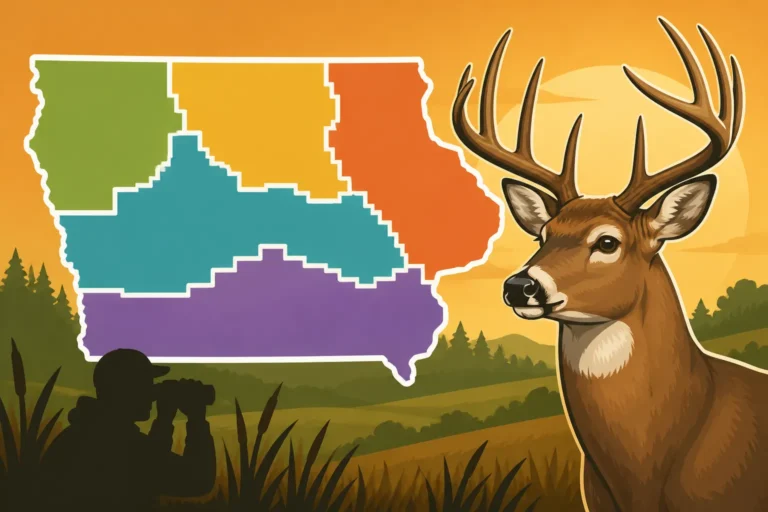
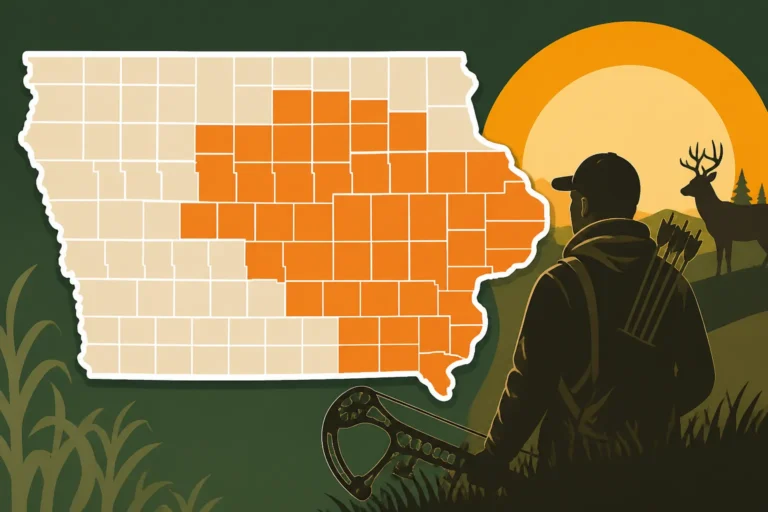
- Zone Selection: Iowa divides the state into different zones for deer management. You’ll need to select your preferred zone. Familiarize yourself with these zones beforehand, as some, like those in Iowa Zone A and Zone B Deer Counties, might have different quotas or draw odds. Your choice here is crucial because it often dictates where you can legally hunt if successful in the draw.
- Preference Points: This is a big one for nonresidents. The system will ask if you want to purchase a preference point only or apply for a license with your existing preference points. If you're just starting, you'll want to select Buying an Iowa Preference Point to begin building points for future draws. If you have enough points (research How Many Points to Draw Iowa for your desired zone), you'll apply with them. Understanding Iowa Preference Points and How They Work is key to strategizing your applications over the years.
- Antlerless Tag Options: Depending on the zone and your primary tag application, you might also have the option to apply for an antlerless deer tag. These are often easier to draw or can be purchased over-the-counter later in the season in certain areas.
- Review and Submit: Before finalizing, the system will provide a summary of your application. Review everything carefully: season, zone, point choice, and personal details. Once you’re confident, proceed to payment. You’ll receive an email confirmation that your application has been successfully submitted and any points purchased have been added to your account.
Spring and Fall Turkey Application Details
Applying for Iowa turkey tags through Go Outdoors Iowa follows a similar, but often slightly less complex, path than deer. Iowa's turkey seasons are broken down into different periods for both spring and fall, and nonresidents have specific rules.
When you select "Turkey" from the application menu, you'll first differentiate between "Spring Turkey" and "Fall Turkey." For spring hunts, there are typically multiple seasons (e.g., Season 1, Season 2, Season 3, Season 4), each with specific dates. Nonresidents generally apply for Iowa Nonresident Spring Turkey Licences during a designated application period, which usually falls in January or February.
The process involves:
- Choosing Spring or Fall: Decide which season you want to hunt.
- Selecting Weapon and Season: For spring, you'll pick your weapon choice (archery or shotgun/muzzleloader) and your preferred season period. For fall, it's typically an "Any-Sex" tag, often purchased over-the-counter without a draw in many zones, though nonresident quotas can apply.
- Zone Selection: Like deer, turkey hunting is often managed by zones. You'll select the zone you intend to hunt.
- Review and Pay: Confirm all your selections and proceed to payment. Once purchased, your turkey license is immediately available in your profile.
Understanding the specific bag limits and tagging requirements for both deer and turkey is crucial, and this information is readily available on the DNR website and within the regulations booklet. The Go Outdoors Iowa portal just makes the acquisition of these licenses incredibly convenient.
Purchasing Small Game, Waterfowl, and Habitat Licenses
While the draw hunts for deer and turkey might grab most of the headlines, Iowa offers fantastic opportunities for small game and waterfowl hunting. The Go Outdoors Iowa portal is also your go-to for these essential licenses, which are typically purchased directly rather than applied for via a draw.
General Hunting and Habitat Fees
Before you can pursue most game species in Iowa, you’ll need to acquire some foundational licenses. This typically involves two main components for most hunters: a general hunting license and a habitat fee. The Go Outdoors Iowa platform makes bundling these together straightforward.
When you first go to "Purchase Licenses," the system will likely prompt you to add the necessary base licenses to your cart. For Iowa, this means the annual Resident or Nonresident Hunting License. Alongside this, you'll need to purchase the Iowa Base Licence and Habitat Fee. This fee is essential, as the funds directly support conservation efforts across the state, improving habitat for all wildlife, including pheasants, deer, and turkeys. These are usually added to your cart with a simple click. The great thing about the Go Outdoors Iowa portal is that it usually knows what you need, guiding you through the prerequisites. For example, if you try to buy a pheasant tag without a base license, it will typically prompt you to add the base license first. Don't forget to check for special rates, as Iowa Youth and Senior Licence Rates are often available, making hunting more accessible for all generations.
Upland Bird and Small Game Licenses
Once your general hunting license and habitat fee are secured, you can move on to specific small game and upland bird opportunities. The beauty here is that these licenses are generally over-the-counter purchases – no draws, no preference points needed.
To hunt ring-necked pheasants, bobwhite quail, cottontail rabbits, or squirrels, your general hunting license covers the basics. However, for nonresidents, there might be specific nonresident small game licenses or other permits. You'll simply select the appropriate small game license from the "Purchase Licenses" menu. For instance, if you're targeting pheasants, make sure you've also checked the Iowa Pheasant and Quail Season Dates to ensure you're within the legal hunting period. The portal lists various options, such as the Iowa Nonresident Small Game Licence Cost, and allows you to add them directly to your digital shopping cart. It's a quick and efficient way to get legal for your desired quarry. Remember, a tool like GoHunt can be invaluable for cross-referencing season dates and understanding bag limits before you make your purchase.
Waterfowl Hunting Requirements
Waterfowl hunting in Iowa, particularly along the Mississippi Flyway, is a thrilling experience, but it comes with a few extra licensing requirements beyond the general hunting license and habitat fee. The Go Outdoors Iowa portal is instrumental in ensuring you meet all these federal and state obligations.
First, you'll need to purchase an Iowa Migratory Game Bird Fee (often referred to as the HIP registration). This is crucial for tracking migratory bird hunter numbers and harvest data. The Go Outdoors Iowa system is where you register for HIP (Harvest Information Program) annually. You'll typically answer a few questions about your past migratory bird hunting success, which helps the U.S. Fish and Wildlife Service gather critical data for population management.
Second, for federal compliance, you’ll need a Federal Duck Stamp. While the Federal Duck Stamp is not purchased directly through Go Outdoors Iowa (it's a federal requirement, usually bought at a post office, Walmart, or other authorized vendors), the Go Outdoors Iowa portal will often prompt you or remind you about its necessity. It's important to remember that you need the physical stamp to legally hunt waterfowl, though some states offer an e-stamp option that's immediately valid. The system ensures you're aware of these requirements and helps you bundle your state-level migratory bird permits. For a complete understanding, look up Iowa Duck Stamp and HIP Requirements. This comprehensive approach ensures that you have all your ducks in a row, so to speak, before heading out to the marsh or river bottoms.
Managing Your Account and Licenses
Once you've purchased your licenses and applied for your tags, the Go Outdoors Iowa portal continues to be a valuable resource for managing your hunting life. It’s not just for buying; it's for keeping track, staying compliant, and fulfilling your post-hunt responsibilities.
Accessing and Printing Licenses
One of the most immediate benefits of the online system is the ability to instantly access your licenses. After a successful purchase or draw, your licenses are typically available in your account profile under a "My Licenses" or "Print Licenses" section.
You can view these licenses directly on your mobile device, which is incredibly convenient for field checks. Most wardens are accustomed to seeing digital licenses these days. However, it's always a good practice to print out a physical copy as well, especially if you're heading into an area with spotty cell service or if your phone battery dies. There's nothing worse than being asked for your license by a DNR officer and not being able to produce it. The portal allows you to print these as many times as you need. Just hit "Print" and you're good to go. This immediate accessibility means you don't have to wait for anything to arrive in the mail, reducing anxiety and allowing for spontaneous hunting trips.
Updating Personal Information and Hunter Education
Life happens, and sometimes your personal details change – a new address, a different phone number, or maybe an updated email. It's crucial to keep this information current in your Go Outdoors Iowa profile. Accurate contact information ensures you receive important notifications, draw results, or any changes to regulations.
To update your details, log in and look for a "My Profile" or "Account Settings" section. Here, you can usually edit your address, phone number, and email. Furthermore, the portal is designed to link your hunter education certification to your profile. If you've recently completed a course or need to verify it, the system often has a dedicated section for Iowa Hunter Education Requirements. Ensuring your hunter education is correctly recorded is vital, as it's a prerequisite for obtaining certain licenses or hunting without an apprentice license. Maintaining an accurate profile not only helps the DNR communicate with you but also ensures your eligibility for future hunting opportunities isn't jeopardized by outdated information.
Reporting Harvests and CWD Samples
The Go Outdoors Iowa portal isn't just for getting into the field; it's also where you fulfill your responsibilities after a successful hunt. Harvest reporting is a legal requirement for many species, especially deer and turkey, and it's a critical tool for wildlife management.
After harvesting a deer or turkey, you'll need to navigate to the "Report Harvest" section within your account. Here, you'll enter details about your harvest, such as the date, county, species, sex, and often the type of weapon used. It's important to do this within the specified timeframe, as outlined in Iowa Deer Harvest Reporting Rules. Failure to report can result in fines or penalties.
Beyond harvest reporting, Iowa, like many states, is actively monitoring for Chronic Wasting Disease (CWD). In certain counties, mandatory CWD sampling may be required, or voluntary drop-off locations are available. While the CWD test results aren't typically reported directly into your Go Outdoors Iowa profile, the portal or the DNR website will provide information on Iowa CWD Sampling and Carcass Rules, including where to drop off samples and how to retrieve test results. By accurately reporting your harvest and participating in CWD surveillance when required, you contribute directly to the health of Iowa's wildlife populations and ensure sustainable hunting opportunities for years to come.
Troubleshooting Common Issues
Even with the most streamlined online system, hiccups can occur. Whether it's a payment problem, a forgotten password, or just a confusing error message, running into technical difficulties when you're trying to secure a coveted tag can be incredibly frustrating. Let's talk through some common issues and how to resolve them.
Payment Problems and Error Messages
"Payment Declined" – two words that can instantly deflate your hunting hopes. This is a common issue when applying for licenses or draw tags. There are several reasons why your payment might not go through on Go Outdoors Iowa.
First, double-check all your card details. An expired date, a mistyped card number, or an incorrect CVV code are frequent culprits. Second, ensure you have sufficient funds or credit available. Sometimes, banks flag large or unusual transactions, especially if you're applying for multiple nonresident tags, as potential fraud. If this happens, it's often best to contact your bank or credit card company directly to pre-authorize the transaction or confirm that it's legitimate. For hunters using specialized services like GoHunt for managing hunting finances, they might offer unique payment options or advice for smooth transactions.
Error messages can also pop up for other reasons. A generic "transaction failed" might indicate a temporary glitch with the payment gateway, in which case waiting a few minutes and trying again might work. If the error message is more specific, like "address verification failed," confirm your billing address matches what's on file with your credit card company exactly. Don't be afraid to take a screenshot of any persistent error messages – this will be incredibly helpful if you need to contact customer support.
Account Lockouts and Password Resets
Few things are more annoying than being locked out of your account, especially when a critical application deadline is looming. Whether you've forgotten your password or made too many failed login attempts, an account lockout is a common pain point.
If you've forgotten your password, look for the "Forgot Password?" or "Reset Password" link on the login page. The system will typically guide you through a process of verifying your identity, often by sending a reset link to your registered email address or asking security questions. Make sure to check your spam or junk folder if you don't see the email immediately.
If your account is locked due to too many incorrect login attempts, this is a security measure. These lockouts are usually temporary, lasting anywhere from 30 minutes to a few hours. The best course of action is often to wait it out, then try the password reset process. If you're still unable to access your account after waiting, or if the lockout persists, you'll need to reach out to DNR customer support directly. They can manually unlock your account or help you regain access. It’s always a good idea to keep your username and password in a secure, easily accessible place, like a password manager, to avoid these frustrating situations.
Getting Help: Customer Support and FAQs
When all else fails, and you're genuinely stuck, knowing where to turn for help is paramount. The Iowa DNR provides several avenues for assistance.
First, check the Go Outdoors Iowa portal itself for a "Help" section or "Frequently Asked Questions" (FAQ). Many common questions about license types, application processes, and troubleshooting are addressed there. These resources can often provide immediate answers without needing to contact anyone.
However, for more complex issues, like account discrepancies or persistent technical problems, direct customer support is the way to go. Look for "Contact Us" links on the Go Outdoors Iowa site or the main Iowa DNR website. They typically provide a phone number and an email address. When you contact them, be prepared with as much detail as possible: your full name, date of birth, customer ID (if you have it), a description of the problem, and any error messages you've encountered. Be patient, especially during peak application times, as call volumes can be high. Email might take a bit longer for a response, but it allows you to clearly articulate your issue and attach screenshots. Remember, the DNR staff are there to help you navigate the system, so a polite and detailed inquiry will usually get you the assistance you need to get back on track.
| License/Application Type | Primary Method | Required Base Licenses/Fees | Notes |
|---|---|---|---|
| Annual Hunting License | Direct Purchase | Habitat Fee | Required for most hunting in Iowa |
| Annual Fishing License | Direct Purchase | Habitat Fee | Required for most fishing in Iowa |
| Nonresident Any-Sex Deer Tag | Draw Application (May-June window) | Hunting License, Habitat Fee, Iowa Nonresident Deer Licence Cost | Requires Iowa Preference Points and How They Work to draw |
| Antlerless Deer Tag | Draw Application or Over-the-Counter (zone dependent) | Hunting License, Habitat Fee | Often easier to obtain than any-sex tags |
| Spring Turkey Tag (Nonresident) | Draw Application (Jan-Feb window) | Hunting License, Habitat Fee | Specific seasons/zones available via Iowa Nonresident Spring Turkey Licences |
| Fall Turkey Tag | Direct Purchase (often over-the-counter) | Hunting License, Habitat Fee | Availability may vary by zone/quota |
| Small Game Hunting | Direct Purchase | Hunting License, Habitat Fee | Iowa Nonresident Small Game Licence Cost often applies |
| Migratory Bird / HIP | Direct Registration/Fee | Hunting License, Habitat Fee | Federal Duck Stamp (separate purchase) also required. See Iowa Duck Stamp and HIP Requirements. |
Disclaimer
Please note that hunting regulations, season dates, and license requirements can change. While this guide provides comprehensive information, always consult the official Iowa Department of Natural Resources (DNR) website and the current year's Iowa Hunting and Trapping Regulations booklet for the most up-to-date and legally binding information before planning your hunt.