Phone Battery Management in Cold
There's nothing quite like the heart-sink moment when you reach for your phone to check a map, send a quick text, or grab a photo of a magnificent Iowa whitetail, only to find the screen black and unresponsive. In the chilly embrace of an Iowa autumn or the biting cold of winter, a dead phone battery isn't just an inconvenience; it can be a real problem for navigation, safety, and capturing those once-in-a-lifetime moments. This guide is all about helping you conquer the cold and keep your phone alive and kicking, ensuring you stay connected and safe during your Iowa hunting adventures.
Why Cold Weather is the Arch-Nemesis of Your Phone Battery
We've all experienced it: your phone works perfectly fine at home, fully charged, but after an hour or two in the December timber, it suddenly drops from 60% to 10% or just flat-out dies. This isn't your phone being dramatic; it's a genuine chemical reaction at play. Understanding why this happens is the first step in combating it.
The Science Behind Battery Drain
Your smartphone battery, like most portable electronic devices, relies on lithium-ion chemistry. Inside these batteries, chemical reactions generate the electrical current that powers your device. These reactions are temperature-sensitive. When the temperature drops significantly, the internal resistance of the battery increases. Think of it like trying to run through thick mud compared to sprinting on a dry track – everything slows down and requires more effort.
The ions within the battery move slower in the cold, making it harder for the battery to release its stored energy efficiently. This reduction in efficiency is what manifests as a rapid drop in charge, or even a sudden shutdown, because the battery simply can't deliver the necessary power at that moment. It's not necessarily that the charge is gone, but rather that it's inaccessible. Once the phone warms up, you might see some charge magically reappear, but prolonged exposure to extreme cold can still cause permanent damage and reduce the overall lifespan of the battery.
Impact on Hunting Applications and Safety
For Iowa hunters, this rapid battery drain is more than just frustrating. Many of us rely heavily on our phones in the field. We use them for detailed mapping applications like GoHunt, to check real-time weather updates, communicate with hunting partners during a drive, or even to document a successful harvest. Imagine being deep in a creek bottom, trying to navigate out in the dark after a late-season sit, and your only light source and map disappear. That's a real safety concern.
Furthermore, if you're Hunting Iowa Walk-In Ground Without Burning It Out or exploring new Public Land Deer Hunting in Iowa, your phone is often your primary tool for staying on track and avoiding trespassing. A dead battery can leave you disoriented or, at best, force you to pull out a paper map – assuming you even remembered to bring one!
Pre-Hunt Preparations to Maximize Battery Life
The battle against cold weather battery drain starts long before you ever step foot in the timber. A little planning and preparation can make a huge difference in how your phone performs when temperatures plummet.
Charge Fully and Optimize Settings
This might seem obvious, but always start your day with a phone charged to 100%. Don't just top it off; make sure it's had a full, uninterrupted charge. Beyond that, delve into your phone's settings to minimize unnecessary power draw.
- Turn off Wi-Fi and Bluetooth: Unless you're actively using them (like connecting to a specific device), these constantly search for signals, which consumes power. You're likely out of Wi-Fi range anyway in most Iowa hunting spots.
- Reduce screen brightness: The screen is one of the biggest power consumers. Keep it as low as comfortably possible.
- Enable Low Power Mode: Most smartphones have a power-saving mode that restricts background app refresh, reduces visual effects, and optimizes performance to conserve battery. Use it from the start of your hunt, not just when you're desperate.
- Disable location services for non-essential apps: Your mapping app like GoHunt will need it, but do all your social media apps need to know your exact coordinates every minute? Probably not.
- Close background apps: Swipe them away. Even if not actively running, they can still consume resources.
- Download offline maps: If you're using a mapping app, make sure to download the areas you'll be hunting beforehand. This prevents the phone from constantly trying to access cellular data, which is a major battery drainer, especially in areas with weak signal. This is crucial for Offline Maps for Iowa Public Ground.
By taking these steps, you're not just saving battery; you're often improving your phone's general performance and responsiveness, especially when it's cold.
The Power of External Battery Packs
A high-quality portable power bank is arguably the most essential piece of gear for cold weather phone management, besides the phone itself. These devices have gotten incredibly compact and powerful over the years.
- Capacity Matters: Look for a power bank with a substantial milliamp-hour (mAh) rating, ideally 10,000 mAh or more for multiple recharges. If you're out for an extended hunt or camping, something in the 20,000 mAh range might be better.
- Quick Charge Technology: Some power banks and phones support fast charging, which can be a lifesaver when you only have a short window to juice up.
- Durability: Consider a ruggedized power bank if you're prone to dropping things or if it will be exposed to the elements. Some even come with built-in flashlights or solar charging capabilities (though solar is often slow in winter).
- Test Before You Go: Don't just throw it in your pack. Fully charge your power bank and test it with your phone at home. You don't want to discover it's faulty when you're miles from the truck.
Think of it as carrying spare fuel for your most critical piece of electronic gear. Keep the power bank fully charged and, like your phone, protect it from the extreme cold as much as possible, as its performance will also be affected.
Battery Health and Replacement
An older phone with a degraded battery will always struggle more in the cold than a newer one. If your phone often struggles to hold a charge or dies prematurely even in mild conditions, consider getting the battery replaced by a professional. It's often cheaper than buying a whole new phone and can significantly improve cold weather performance. Most phone operating systems now have a "battery health" indicator in the settings, which can give you a good idea of its current capacity relative to when it was new. If it's below 80%, you'll definitely notice the difference.
In-Field Tactics for Keeping Your Phone Alive
Once you're out there, exposed to the elements, it's all about strategic management and minimizing your phone's exposure to the cold. Every little bit helps.
Keep Your Phone Warm
This is perhaps the single most effective strategy. The colder your phone gets, the faster it will drain.
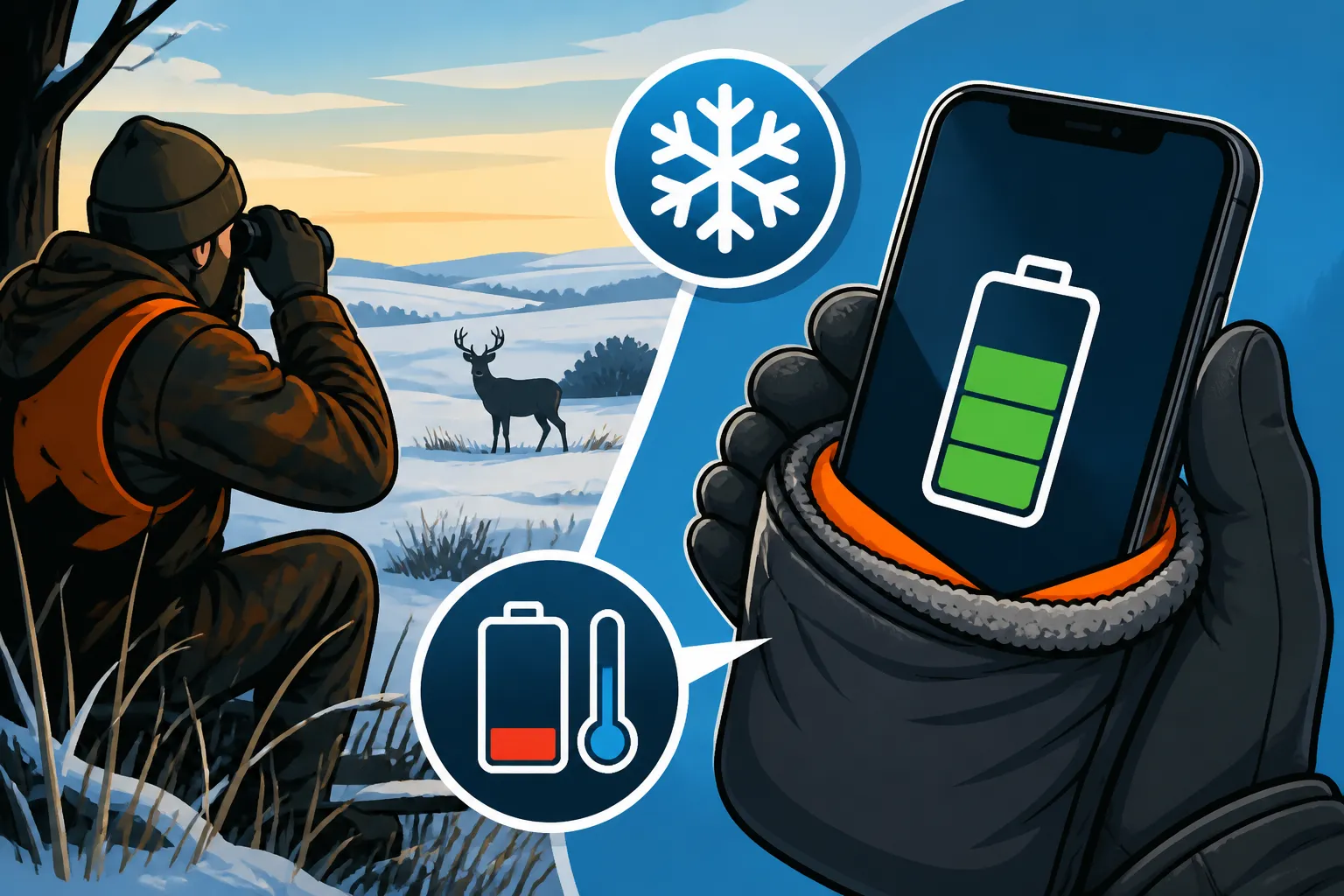
- Internal Pockets: Your body heat is your phone's best friend. Keep it in an inside pocket of your hunting jacket, close to your core. A chest pocket is ideal, as it's less likely to be squashed or banged around. If you're Staying Warm on a December Sit, this is a natural place for your phone.
- Layering with Clothes: Wrap your phone in a bandana, a spare glove, or even a thick sock before putting it in a pocket. This adds another layer of insulation against the biting Iowa wind and cold.
- Hand Warmers: Chemical hand warmers are excellent for this. Place a hand warmer in the pocket with your phone (but don't put it directly on the phone screen for prolonged periods, as excessive heat can also damage it). This provides a continuous source of warmth that can literally double or triple your phone's effective battery life.
- Minimizing Exposure: When you do need to use your phone, try to do so quickly. Don't leave it out on your treestand platform or on the dash of your truck for extended periods where it's fully exposed to the cold air. Pull it out, do what you need to do, and get it back to a warm spot as quickly as possible.
Strategic Usage and Communication
Think before you tap. Every time you unlock your phone, your screen lights up, and apps start refreshing.
- Plan Your Checks: Instead of pulling out your phone every five minutes to check the time or a map, try to consolidate your usage. Check your mapping app, look at your general location, and then put it away. For example, if you're using a GoHunt map for Reading an Iowa Timber Draw for Deer Sign, study the contours, then stow your phone and use your memory for a bit.
- Quick Actions: If you just need to glance at the time or send a short text, be efficient.
- Voice Control (if applicable): Some phones allow for voice commands with the screen off for basic tasks, which can be useful if your phone is tucked away.
- Text over Calls: Text messages use significantly less battery than phone calls, especially in areas with poor signal where your phone has to work harder to maintain a connection.
Emergency Power Options
Sometimes, despite your best efforts, your phone battery still struggles. Having a backup plan can make all the difference.
- Hand-Crank Chargers: While slow and labor-intensive, a small hand-crank charger can provide just enough juice for an emergency call or a few minutes of navigation, especially if your power bank also died.
- Solar Chargers: These are generally better for longer trips or base camp use rather than immediate field charging in cold, low-light conditions. Winter days in Iowa often don't provide enough strong sunlight for efficient solar charging. However, if you're in a survival situation and have time, any charge is better than none.
- Vehicle Charging: If you're near your vehicle, keep a car charger handy. Even a quick 15-minute charge can give your phone enough life to get you through a critical moment.
Essential Gear for Cold Weather Phone Protection
Beyond the basic power bank, there are some specialized pieces of gear that can really elevate your phone battery management game in the cold.
Insulated Phone Cases and Pouches
Just like you wear Cold Weather Stand Clothing to insulate your body, your phone can benefit from insulation too.
- Thermal Cases: Several companies make cases specifically designed to insulate your phone from extreme temperatures. These are often thicker and made with materials like aerogel or neoprene, which slow down heat transfer.
- Insulated Pouches: Some hunters prefer a dedicated insulated pouch that they can slip their phone into before putting it in a pocket. These are often easier to use with existing cases and can provide a little extra protection when you pull your phone out of a warm pocket to use it briefly.
- Water-Resistant Features: Many cold weather cases also offer enhanced water resistance, which is a bonus for those damp, snowy Iowa hunting days.
These cases aren't just about battery life; they also protect the delicate internal components of your phone from extreme cold that could lead to condensation when brought back into warmth, potentially causing permanent damage.
Power Bank with Integrated Hand Warmer
This is a brilliant two-in-one solution for cold weather hunting. Many modern power banks now double as rechargeable hand warmers.
These devices heat up and stay warm for hours, not only keeping your hands toasty but also providing a convenient way to keep your phone warm in your pocket. When your phone needs a charge, simply plug it in. It's efficient, reduces clutter in your pack, and ensures both your comfort and your phone's functionality. Many hunters swear by these for Late Muzzleloader Deer Hunting in Iowa or Iowa January Antlerless Hunts where the temperatures can be brutal.
Here's a quick comparison of popular charging solutions:
| Charging Solution | Pros | Cons | Best Use Case |
|---|---|---|---|
| Standard Power Bank | High capacity, fast charging, compact | Doesn't generate heat, still cold-sensitive | General use, pre-charging, multi-day trips |
| Power Bank/Hand Warmer | Dual function: charge & warmth, compact | Slightly heavier, warmth might drain faster | In-field warmth for phone & hands, cold weather hunts |
| Solar Charger | Renewable energy, good for emergencies | Slow charging, weather dependent, bulky | Extended remote trips, survival kits, bright days |
| Hand-Crank Charger | Always available, no pre-charge needed | Very slow, labor-intensive, low output | True emergencies, last resort for communication |
| Vehicle Charger | Fast charging, unlimited power (if vehicle running) | Requires vehicle access, not portable | Commutes, short breaks, pre/post-hunt charging |
Post-Hunt Care and Long-Term Battery Health
Once your hunt is over, it’s still important to treat your phone right, especially after it’s been exposed to the cold.
Gradual Warming
Resist the urge to immediately place your frozen phone directly on a hot heater or vent. Rapid temperature changes can cause condensation inside the device, which is essentially water damage. Instead, let your phone warm up gradually in your jacket pocket or inside your vehicle before plugging it in or using it heavily. This gives any potential condensation time to dissipate safely.
Monitoring Battery Health
Regularly check your phone's battery health settings. Most modern smartphones offer diagnostics that tell you the maximum capacity of your battery relative to when it was new. If this percentage drops significantly over time, it’s a good indicator that your battery is aging and might need replacement to maintain optimal performance, especially in cold weather.
By taking proactive steps before you head out, being mindful of your phone's exposure and usage while you're in the field, and providing proper post-hunt care, you can ensure your smartphone remains a reliable and invaluable tool for all your Iowa hunting adventures. Don't let a dead battery spoil your hunt or compromise your safety; stay powered up and informed.
Disclaimer
This article is for general informational purposes only and does not constitute professional advice. Laws, prices and regulations vary by location and change over time. Consult a qualified professional for guidance on your specific situation.